

Is AutoCAD Useful in Fashion Design? Expert Insight
Fashion design has evolved dramatically over the past decade, transforming from purely hand-drawn sketches to sophisticated digital workflows. While AutoCAD is traditionally known as an architectural and engineering tool, many fashion professionals wonder whether this powerful software can revolutionize their design process. The answer is nuanced—AutoCAD offers distinct advantages for certain aspects of fashion design, but it requires understanding its capabilities and limitations within the creative fashion industry.
The intersection of technology and fashion has created new opportunities for designers to streamline production, enhance precision, and collaborate more effectively with manufacturers and team members. Fashion design software continues to evolve, and AutoCAD represents one option among many specialized tools available to modern designers. This comprehensive guide explores whether AutoCAD deserves a place in your fashion design toolkit and how it compares to purpose-built fashion software.
Understanding AutoCAD’s Core Capabilities
AutoCAD, developed by Autodesk, is a computer-aided design (CAD) software initially engineered for architectural and engineering drawings. Its fundamental strength lies in precise technical drawing, dimensional accuracy, and the ability to create detailed technical specifications. The software excels at producing 2D and 3D models with exact measurements, which is fundamentally different from creative illustration tools.
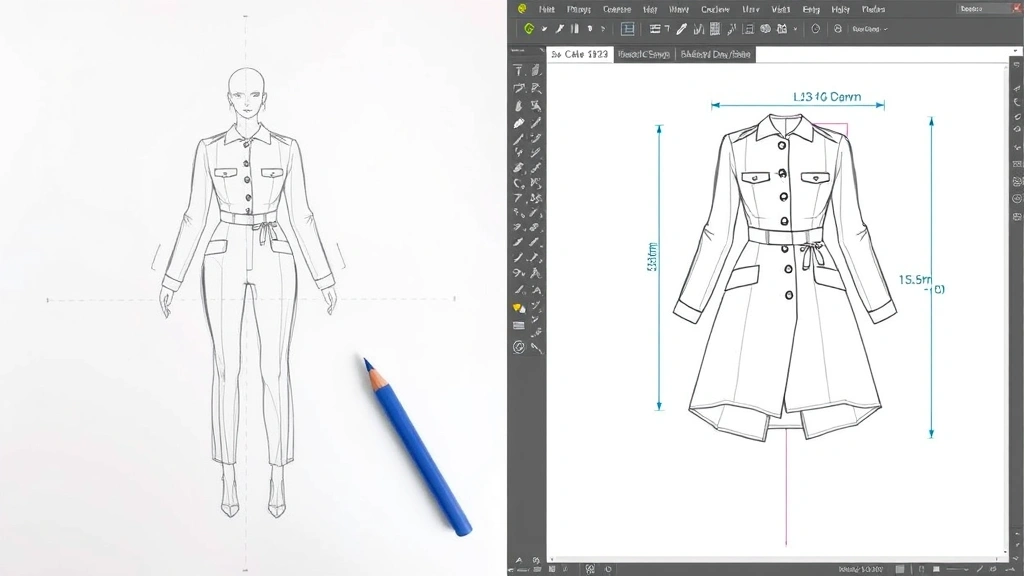
For fashion designers, AutoCAD’s precision-focused approach means you can create pattern pieces with exact measurements, generate technical flats with perfect proportions, and produce manufacturing-ready specifications. The software’s layering system allows designers to organize complex garment components, and its measurement tools ensure that every seam, dart, and detail aligns perfectly. This technical precision is invaluable when communicating with pattern makers and manufacturers who need exact specifications.
The learning curve for AutoCAD can be steep for designers without technical drawing backgrounds. The interface emphasizes precision over intuition, and the workflow differs significantly from Adobe Creative Suite tools that many fashion designers already use. However, once mastered, AutoCAD becomes a powerful ally for technical aspects of fashion design, particularly in garment construction and production planning.

AutoCAD vs. Specialized Fashion Design Software
The fashion industry has spawned specialized software designed specifically for garment creation, such as Clo3D, Marvelous Designer, Adobe Illustrator with fashion plugins, and CLO Virtual Fashion. These purpose-built tools understand the unique requirements of fashion design—draping simulation, fabric behavior, and garment-specific technical drawing conventions.
Specialized AutoCAD fashion software alternatives typically offer pre-built garment templates, automatic pattern grading for different sizes, and the ability to simulate how fabrics behave on virtual bodies. CLO3D, for instance, allows designers to see their creations on realistic 3D models, understanding drape, fit, and movement in real-time. This capability is difficult to achieve in AutoCAD without extensive customization and workarounds.
However, AutoCAD’s advantage lies in its integration with existing industrial design workflows and its superior technical drawing capabilities. If your fashion business already uses AutoCAD for other purposes, integrating fashion design into the same platform can streamline operations and reduce software licensing costs. The key difference is that AutoCAD is a general technical drawing tool, while specialized fashion software is engineered specifically for garment design challenges.
Practical Applications in Fashion Design
AutoCAD proves most useful for specific fashion design applications rather than the entire creative process. Technical flats—the precise, simplified drawings used for communication between designers and manufacturers—can be created efficiently in AutoCAD. These drawings require exact measurements, consistent line weights, and clear specifications, all areas where AutoCAD excels.
Pattern grading, the process of scaling a garment pattern to different sizes, is another area where AutoCAD’s precision becomes invaluable. Designers can create a master pattern and use AutoCAD’s scaling and modification tools to generate patterns for sizes XS through 3XL with mathematical precision. This ensures consistency across the size range and reduces errors that could result in manufacturing problems.
Specification sheets—documents that detail every aspect of a garment for manufacturing—benefit tremendously from AutoCAD’s technical documentation capabilities. These sheets include measurements, seam specifications, stitch types, fabric descriptions, and color variations. AutoCAD’s ability to link dimensions to actual drawings ensures that specifications remain accurate and updated throughout the design process.
For designers working with structured garments like tailored jackets, structured dresses, or geometric designs, AutoCAD’s precision-focused approach can be particularly effective. The software’s ability to create perfectly proportioned garment pieces helps ensure that complex construction methods execute flawlessly in production.
Advantages of Using AutoCAD for Fashion
The primary advantage of AutoCAD for fashion design is its unparalleled precision and technical accuracy. When manufacturers receive AutoCAD-generated specifications, they understand exactly what’s required because the software speaks the language of technical drawing that manufacturing professionals have used for decades. This clarity reduces misinterpretation and manufacturing errors.
Cost efficiency represents another significant advantage, particularly for established fashion businesses that already subscribe to AutoCAD for other purposes. Rather than purchasing additional specialized fashion software licenses, designers can leverage existing tools to create technical documentation. For small fashion startups, this might make the difference between affording professional design tools and struggling with limited resources.
AutoCAD’s parametric capabilities allow designers to create relationships between different design elements. If you modify a key measurement, related dimensions can automatically update throughout the drawing. This feature is particularly valuable during iterative design phases when measurements frequently change based on fit testing and design refinement.
Integration with manufacturing and CAD systems used by factories worldwide is another advantage. Many manufacturers operate in AutoCAD environments, making file sharing and modification straightforward. This compatibility eliminates file conversion issues and ensures that your designs remain editable throughout the production process.
The software’s robust 3D modeling capabilities, while not specifically tailored to fashion, can help designers visualize garment construction from multiple angles. Creating 3D models of complex garment structures helps identify potential construction issues before patterns are finalized.
Limitations and Challenges
AutoCAD’s primary limitation for fashion design is its lack of fabric simulation and draping capabilities. The software cannot show how a particular fabric will hang, drape, or move on a body. This means designers must rely on physical prototyping or mental visualization to understand how their designs will ultimately appear. For innovative, draped, or complex garments, this limitation is significant.
The creative design phase—where initial sketches develop into concepts—is where AutoCAD struggles most. Designers typically work with loose, expressive strokes during conceptualization, and AutoCAD’s precision-focused interface can feel restrictive. Most fashion designers prefer tools like Adobe Illustrator or Procreate for initial concept development, then transition to technical tools for refinement.
Learning AutoCAD requires significant time investment, particularly for designers without technical drawing backgrounds. The software’s interface emphasizes precision and technical accuracy over intuitive creativity. Fashion design students and professionals may find the learning curve discouraging compared to more fashion-specific alternatives.
AutoCAD lacks built-in features for common fashion design tasks like automatic pattern grading, garment-specific templates, and size standardization. While these functions are possible through workarounds and customization, they’re not as seamless as in purpose-built fashion software. This means additional setup time and potential for error if the designer isn’t meticulous.
The software’s file format, while industry-standard in manufacturing, isn’t optimized for fashion industry workflows. Exporting designs for presentations, social media, or portfolio purposes requires additional steps compared to fashion-specific software that natively produces presentation-ready visuals.
Industry Expert Perspectives
Fashion industry professionals offer varied perspectives on AutoCAD’s role in modern design practice. Many experienced patternmakers and technical designers who trained in traditional methods appreciate AutoCAD’s precision and its alignment with manufacturing standards. According to Vogue, the intersection of technology and fashion continues evolving, with professionals choosing tools based on specific project requirements rather than relying on single solutions.
Leading fashion schools and institutions increasingly recognize that technical proficiency with CAD tools—including AutoCAD—enhances employability. Parsons School of Design and similar institutions incorporate CAD training into their curricula, acknowledging that modern fashion professionals must understand technical design tools.
Contemporary fashion brands take varied approaches. Some luxury houses maintain traditional hand-drawing and patternmaking practices, viewing digital tools as supplementary. Others, particularly brands focused on sustainable manufacturing and precision production, embrace AutoCAD and similar tools to minimize waste and improve efficiency. Elle has documented how forward-thinking brands use technology to enhance their design and production processes.
Manufacturing professionals generally prefer AutoCAD files because they’re compatible with existing production systems and CNC cutting equipment. Factory owners and production managers appreciate designs delivered in AutoCAD format because it integrates seamlessly with their existing workflows. This perspective highlights AutoCAD’s value in the later stages of design development.
Best Practices for Fashion Designers
The optimal approach for most fashion designers is a hybrid workflow that leverages multiple tools’ strengths. Begin with Adobe Illustrator or Procreate for initial concept development and creative ideation. These tools encourage artistic expression and rapid iteration without the technical constraints of CAD software.
Once designs are conceptualized, transition to specialized fashion design software for prototype development and 3D visualization. Tools like Clo3D or Marvelous Designer allow you to see how garments drape and move, providing crucial feedback on fit and aesthetics before committing to physical sampling.
Finally, use AutoCAD for technical documentation and manufacturing specifications. Convert your finalized designs into precise technical flats, create detailed specification sheets, and develop production patterns. This workflow ensures that each tool is used where it provides maximum value.
For pattern makers and technical designers specifically, AutoCAD proficiency is increasingly valuable. These professionals can benefit from deep expertise in AutoCAD’s capabilities, potentially specializing in technical pattern development and manufacturing documentation. Their role differs from creative designers, and AutoCAD aligns well with these technical responsibilities.
Designers should also consider their target market and production methods. If you work exclusively with small-batch, handcrafted production or focus on experimental design, AutoCAD may be less essential. If you scale designs across multiple sizes, work with factories that use CAD systems, or produce large volumes, AutoCAD’s technical capabilities become increasingly valuable.
Networking with manufacturers and understanding their preferred file formats and workflows is crucial. Some factories operate entirely in AutoCAD, while others use proprietary systems. Knowing your manufacturers’ preferences helps you determine which tools are most important for your specific business context.
For exploring fashion design trends and software evolution, staying informed about industry developments helps you make strategic tool choices. The fashion technology landscape continues evolving, and new solutions emerge regularly that might better serve your specific design needs.
FAQ
Can AutoCAD replace specialized fashion design software?
AutoCAD can handle technical drawing and pattern development but cannot replace specialized fashion software for 3D visualization, draping simulation, or creative design phases. Most professionals use AutoCAD alongside other tools rather than as a complete replacement.
How long does it take to learn AutoCAD for fashion design?
Basic proficiency requires 40-60 hours of focused learning. However, developing expertise sufficient for professional-grade technical drawings and pattern development typically takes several months of regular practice and application.
Is AutoCAD worth learning if I only design casual wear?
For casual wear designers, AutoCAD is less essential unless you scale production across multiple sizes or work with factories that specifically require AutoCAD files. Fashion design software focused on your specific garment types may provide better value.
Do fashion manufacturers prefer AutoCAD files?
Many manufacturers appreciate AutoCAD files because they integrate with existing production systems. However, preferences vary by factory. Consulting with your manufacturers about preferred file formats ensures compatibility and smooth production processes.
What’s the difference between AutoCAD and CAD software designed for fashion?
AutoCAD is general-purpose technical drawing software, while fashion-specific CAD tools include garment templates, automatic grading, and fabric simulation. Fashion-specific software is optimized for fashion industry workflows, though AutoCAD offers superior technical precision for detailed specifications.
Can I use AutoCAD for creative design and sketching?
While technically possible, AutoCAD is poorly suited for creative sketching due to its precision-focused interface. Designers typically sketch in Adobe Illustrator, Procreate, or traditional media, then use AutoCAD for technical refinement.
Is AutoCAD essential for fashion design careers?
AutoCAD is valuable but not essential for all fashion design careers. Creative designers may never use it, while technical designers and patternmakers benefit greatly from proficiency. Career goals and specialization determine AutoCAD’s importance.