


Track Your Fashion Nova Order: Step-by-Step Guide
Fashion Nova has become a global sensation for its trendy, body-confident pieces that dominate social media and red carpets alike. Whether you’ve just scored the perfect dress or a complete outfit refresh, tracking your order is essential to managing your wardrobe timeline. This comprehensive guide walks you through every method to monitor your Fashion Nova purchase, from the moment you hit checkout to the satisfying knock on your door. Understanding the tracking process ensures you’re never left guessing about your delivery status.
The anticipation of a new Fashion Nova haul can be thrilling, but it’s equally important to know exactly where your package is at all times. With multiple tracking options available, you’ll have complete visibility into your order’s journey. Whether you’re checking on a Fashion Nova dress or a complete collection, this guide provides all the tools and knowledge you need.
Creating Your Fashion Nova Account
Before you can effectively track your Fashion Nova order, having an active account is the foundation of the entire process. Creating an account takes just minutes and opens doors to exclusive benefits beyond tracking. Visit the Fashion Nova website and click the “Sign Up” button in the top right corner. You’ll need to provide your email address, create a password, and add basic personal information including your name and address.
Having an account is crucial because it stores all your order history in one centralized location. This means every purchase you make is automatically logged and accessible whenever you need it. Your account also enables you to receive personalized notifications about your orders, access past purchases for reordering, and manage your preferences for future communications. If you’ve already made a purchase as a guest, you can link that order to a new account by using the email address associated with the purchase.
Once your account is created, log in immediately after placing any order. This ensures your purchase is connected to your profile and you’ll have full tracking capabilities. The account dashboard becomes your personal command center for all Fashion Nova activity, making it easy to view multiple orders simultaneously if you’re a frequent shopper.
Accessing Your Order History
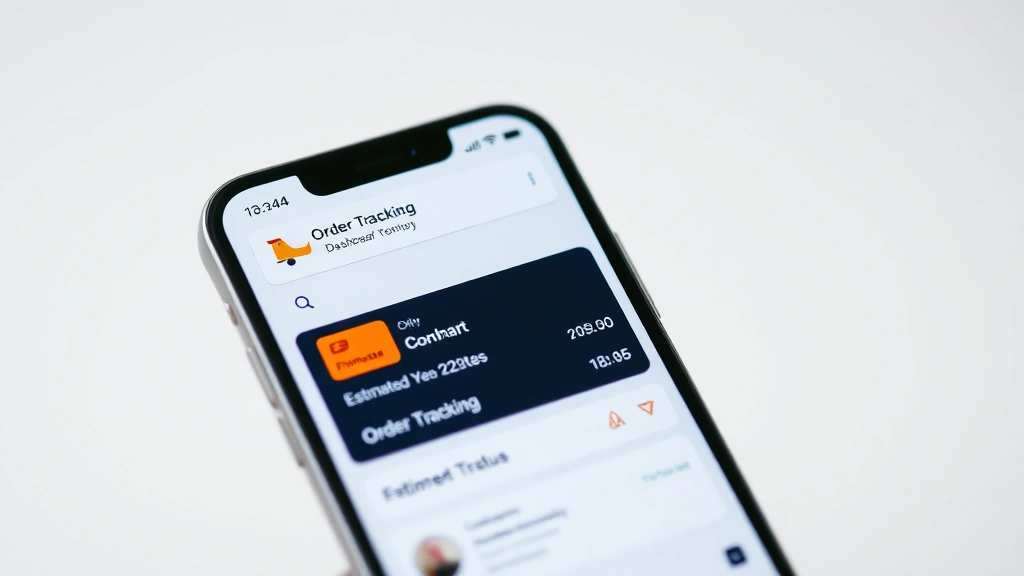
Your Fashion Nova account dashboard is where all the magic happens when it comes to tracking. After logging in, look for the “Orders” or “My Orders” section, typically found in the main menu or under your account settings. Click this section to view all your current and past orders displayed in chronological order, with the most recent at the top.
Each order entry shows essential information at a glance: the order number, order date, items purchased, total amount spent, and most importantly, the current status. The status will indicate whether your order is being processed, has shipped, is in transit, or has been delivered. This real-time status update is invaluable for knowing exactly where your purchase stands in the fulfillment pipeline.
By clicking on an individual order, you’ll access detailed information including the full itemized list of everything in that shipment, the shipping address, and the tracking number once it’s generated. This detailed view is particularly helpful if you’ve ordered multiple items and want to know the specifics of what’s included in each package. Fashion Nova often ships items separately, so having this breakdown helps you understand why you might receive multiple packages from a single order.
The order history feature also allows you to track patterns in your shopping behavior, see what styles you frequently purchase, and identify which items are bestsellers. This information can inform your future personal style development and help you make more confident purchasing decisions.
Using the Tracking Number
Once your Fashion Nova order ships, a tracking number is your golden ticket to real-time delivery updates. This unique identifier appears in your order confirmation email and in your account dashboard under the specific order details. The tracking number is typically provided by the carrier—usually USPS, UPS, or FedEx—depending on your location and shipping method selected.
To track your package, copy the tracking number and visit the carrier’s website directly. For USPS tracking, go to usps.com and paste your number into the tracking field. For UPS shipments, visit ups.com, and for FedEx, go to fedex.com. Enter your tracking number and the system will display detailed information about your package’s current location, estimated delivery date, and any scans it has received along the route.
The carrier’s tracking system updates multiple times daily as your package moves through distribution centers. You’ll see timestamps showing when your package was picked up, scanned at various facilities, loaded onto delivery vehicles, and ultimately delivered. Some carriers offer SMS or email notifications when you enter your tracking number, sending you automatic updates without needing to check manually.
Understanding tracking status terminology helps you interpret what you’re seeing. “In Transit” means your package is on its way. “Out for Delivery” indicates it’s on the delivery truck and should arrive that day. “Delivered” confirms your package has reached your address. If you see “Delivery Attempted,” it means the driver couldn’t complete the delivery and may try again or leave instructions.
Email Notifications and Updates
Fashion Nova automatically sends email notifications at key points in your order journey, and these emails contain crucial tracking information. Your order confirmation email arrives immediately after purchase and includes your order number and a link to track your order directly from Fashion Nova’s website.
As soon as your order ships, you’ll receive a shipping notification email. This email includes the carrier information, tracking number, and estimated delivery date. This is the most important email in the tracking process, so don’t delete it—save it for future reference. The shipping email also typically includes a direct link to the carrier’s tracking page, eliminating the need to manually copy and paste your tracking number.
Subsequent emails notify you of delivery attempts, delivery confirmation, and sometimes promotional offers related to your purchase. Some of these emails are automated from Fashion Nova, while others come directly from the shipping carrier. Make sure to check both your primary inbox and spam folder, as tracking emails sometimes get filtered incorrectly.
You can adjust your email notification preferences in your Fashion Nova account settings. If you prefer more frequent updates, you can opt in to receive notifications at each tracking milestone. Conversely, if you find too many emails overwhelming, you can choose to receive only the shipping confirmation and delivery notification. Finding your preferred notification frequency ensures you stay informed without email fatigue.
Understanding Delivery Timeframes
Fashion Nova offers multiple shipping options with different delivery timeframes, and understanding which option you selected helps set realistic expectations. Standard shipping typically takes 5-7 business days from the time your order ships, not from the time you place it. Processing time—the period between order placement and shipment—usually takes 1-3 business days for in-stock items.
Expedited shipping options are available for those who need their pieces faster. Express shipping might guarantee delivery within 2-3 business days of shipment, while overnight or two-day options provide even quicker service for premium pricing. During peak seasons like holidays or after major influencer promotions, processing times may extend, so Fashion Nova typically notifies you if delays are expected.
International orders have significantly longer delivery timeframes, often taking 10-21 business days depending on the destination country and customs clearance. These orders may show extended processing times as Fashion Nova prepares international documentation and arranges carrier transfers.
Weather events, holidays, and carrier backlogs can affect delivery dates. If your estimated delivery date passes without arrival, check your tracking number immediately. Most carriers allow 1-2 additional days beyond the estimated date before considering a package lost. If your package shows no movement for several days, contact Fashion Nova customer service with your tracking number and order information.
International Order Tracking
If you’re ordering Fashion Nova pieces from outside the United States, the tracking process involves additional steps and longer timeframes. International orders are typically shipped via USPS International Service, DHL, or other international carriers depending on your destination country.
Your tracking number works the same way as domestic shipments—enter it on the carrier’s website to monitor progress. However, international packages may show fewer tracking updates, especially once they leave the United States and enter your country’s postal system. This is completely normal and doesn’t indicate a problem with your shipment.
International orders require customs clearance, which adds 3-5 business days to the delivery timeline. During this period, your package may not show movement in the tracking system. Your country’s customs agency scans and processes the package before releasing it to the final delivery carrier. Once cleared, tracking updates resume and you’ll see your package moving toward the final delivery address.
Some countries charge customs duties or import taxes on Fashion Nova purchases. These fees are typically collected by the delivery driver upon arrival, or you may need to pay them before the package is released. Check your country’s import regulations before ordering to understand potential additional costs.
Troubleshooting Tracking Issues
Sometimes tracking systems encounter problems or provide confusing information. If your tracking number doesn’t work on the carrier’s website, wait 24 hours—the carrier’s system sometimes takes time to update after Fashion Nova generates the tracking number. Try searching again if your initial attempt fails.
If your package shows “Delivery Attempted” but you were home, contact the carrier’s customer service. Sometimes drivers make errors or your address needs clarification. The carrier can reattempt delivery or allow you to pick up the package at a local facility.
Packages occasionally show as delivered but don’t arrive. Check with neighbors, family members, or building management—drivers sometimes leave packages in safe locations. If the package truly cannot be found, contact Fashion Nova customer service immediately with your tracking number. They can file a claim with the carrier and arrange a replacement or refund.
If tracking shows your package is stuck in one location for several days without movement, this could indicate a handling issue at a distribution center. Contact the carrier’s customer service with your tracking number to inquire about the delay. They can investigate and provide updates on when your package will resume movement.
Customer Service Support
Fashion Nova’s customer service team is available to help with any tracking questions or concerns. You can reach them through multiple channels: live chat on their website, email support, or their social media accounts. Have your order number and tracking number ready when you contact them for the fastest resolution.
If you’re unhappy with your purchase or the delivery experience, Fashion Nova offers a 60-day return window from delivery. You can initiate returns through your account dashboard, and they’ll provide return shipping labels or instructions. Understanding the return process is important because returns require tracking too—the carrier will track your return shipment back to Fashion Nova’s warehouse.
For fashion enthusiasts who love staying current with trends, explore Fashion Nova’s latest collections by visiting their StyleLoom Daily Blog for styling tips and trend forecasts. You can also check out 90s fashion inspiration and learn about fashion icons who rock the brand’s pieces.
Fashion Nova frequently offers exclusive deals and early access to new collections for loyal customers. Sign up for their newsletter through your account to receive notifications about sales, new arrivals, and special promotions. This keeps you informed about upcoming pieces you might want to track in the future.
FAQ
How long does Fashion Nova take to ship?
Fashion Nova typically processes orders within 1-3 business days for in-stock items. Shipping then takes 5-7 business days via standard shipping, or 2-3 business days with expedited options. Total time from order to delivery usually ranges from 6-10 business days.
Can I change my shipping address after placing an order?
If your order hasn’t shipped yet, contact Fashion Nova customer service immediately with your order number. They can attempt to change the address, though this depends on how far along your order is in processing. Once your order ships, the address cannot be changed—you’ll need to refuse the delivery and have it returned.
What if my tracking number doesn’t show any updates?
Wait 24 hours after receiving your tracking number before investigating. If it still doesn’t work, contact Fashion Nova customer service. The carrier’s system sometimes takes time to sync with Fashion Nova’s system. Provide your order number and they can verify the correct tracking information.
Does Fashion Nova provide tracking for international orders?
Yes, international orders include tracking numbers just like domestic shipments. However, tracking updates may be less frequent once your package leaves the United States. International orders typically take 10-21 business days and must clear customs, which adds processing time but isn’t reflected as movement in the tracking system.
What should I do if my package doesn’t arrive by the estimated date?
First, verify the estimated delivery date in your tracking information—sometimes it’s longer than expected. If the date has passed, wait an additional 1-2 business days. If still no delivery, contact the carrier’s customer service with your tracking number to investigate. If the carrier cannot locate your package, contact Fashion Nova customer service to file a claim.
Can I track multiple Fashion Nova orders at once?
Yes, your account dashboard displays all active orders with their current status. You can view each order individually to access its specific tracking number and shipping details. This is especially helpful if you’ve placed multiple orders and want to monitor them simultaneously.
How do I know if my order is still being processed?
Your order status in your account dashboard will show “Processing” or “In Progress” until it ships. Once it ships, the status changes to “Shipped” and you’ll receive a shipping notification email with the tracking number. You can also contact Fashion Nova customer service if you want to know the specific processing status of your order.